What Is Juice Jacking? Public USB Charging Risks in 2026
Juice jacking turns public USB ports into data thieves: here is how it works and the 6-step plan to charge safely anywhere.


You know the scene. At the airport, your battery at 4 percent, a row of free USB charging ports gleaming beside your gate. Tempting. But a public USB port is a small gamble: a compromised one can copy your data or plant malware while you charge. The attack is called juice jacking, and security agencies have warned about it for years. Here is what it is, how it works, and how worried you should be in 2026.
The short answer: Juice jacking is an attack in which a hacked or fake public USB charging port uses the data wires inside your charging cable to copy files, harvest passwords, or install spyware. It works because every USB cable carries data as well as power. The FBI and the FCC advise against public USB stations, and recommend your own charger and cable with a mains socket instead.
What “Juice Jacking” Actually Means
The term dates to the 2011 DEF CON security conference, where researchers ran a free charging kiosk that displayed a warning on each connected phone about the data it could have taken. The name stuck: “juice” for power, “jacking” for hijacking. Every attack needs two things: a public place where people charge phones, and a USB connection that secretly does more than deliver power.
The data wires hiding in your charging cable
A USB cable is not just a power lead. Even a cheap cable has at least four wires: two for power, at least two for data. That data channel lets your phone sync photos or talk to Android Auto, but it stays live whenever the cable is connected. A tampered charging station can use it to open a data session with your phone the instant you plug in.
Modern USB-C cables keep the same dual channels, plus extra wires for fast-charging protocols. The data pins are a required part of the standard, so the newer connector removes none of the risk. Wireless charging uses only electromagnetic induction, with no data channel, which is why a Qi pad is fundamentally safer than a USB port you did not install yourself.
The two ways the attack reaches you
The first route is a compromised charging station: attackers open a public kiosk, modify its internals, and leave it looking normal. The second is simpler and more practical: a malicious cable. Security researcher Mike Grover’s O.MG Cable looks and charges like an ordinary cable but hides a chip with Wi-Fi, giving an attacker remote access to anything connected through it. Swapped into a hotel room or left in a cafe, it needs no modified kiosk.
What an Attacker Can Do Once You Plug In
If a data session opens between a compromised port and your phone, several things can happen in the seconds before you notice anything:
- Data theft: photos, contacts, messages, and documents copied off the device, the classic scenario the DEF CON researchers warned about.
- Credential harvesting: the FCC notes usernames and passwords are prime targets, since they open bank accounts, email, and cloud storage.
- Malware installation: spyware or ransomware pushed onto the device silently while the battery icon shows a reassuring charge.
- Device lockout: ransomware that locks the phone and demands payment, a possibility the FBI has explicitly listed.
- Persistent tracking: monitoring software logging keystrokes, locations, and messages long after you unplug.
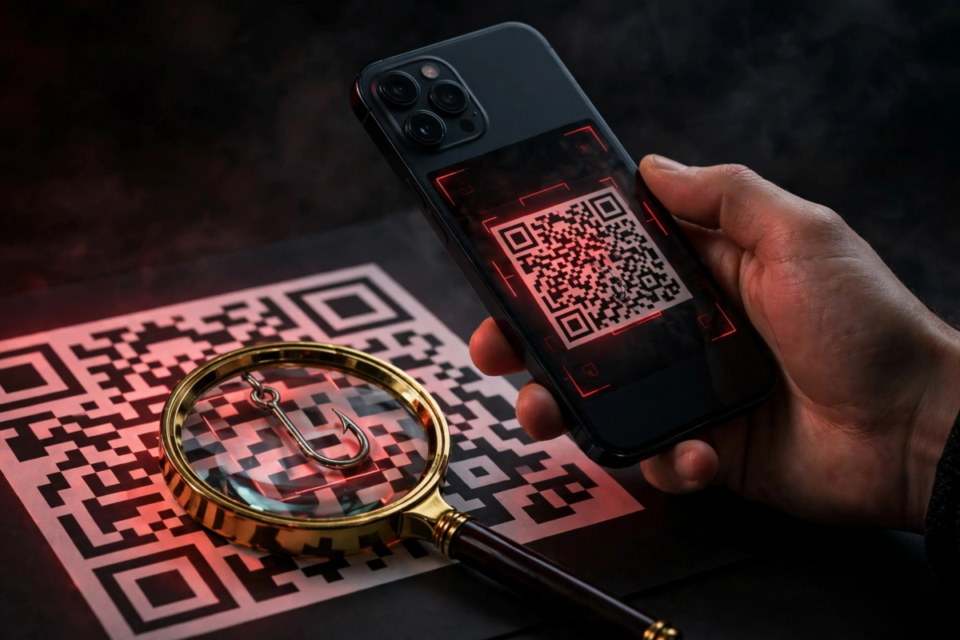
iPhones normally show a “Trust This Computer?” prompt for unfamiliar USB connections, and Android offers a choice between file transfer and charging. Choosing “charge only” or declining trust closes the data channel, which is why both platforms added these prompts. But prompts only help if you read them, and people rushing at a busy gate tap through quickly. A fake QR code scams sticker on the same kiosk adds a second layer of trickery for anyone who scans.
How Worried Should You Be in 2026?
The honest assessment: juice jacking is a real, demonstrated attack, but the documented risk to an ordinary traveller is low. The FBI’s Denver field office warned in April 2023: “Avoid using free charging stations in airports, hotels or shopping centres. Bad actors have figured out ways to use public USB ports to introduce malware and monitoring software onto devices. Carry your own charger and USB cord and use an electrical outlet instead.” The FCC has issued similar consumer warnings, noting criminals can load malware onto public USB stations to access devices while they charge.
Researchers have demonstrated the technique since 2013, when a team showed a malicious charger called Mactans at Black Hat compromising iPhones in under a minute. Yet after more than a decade of warnings, no large-scale juice jacking campaign has ever been confirmed. Most experts therefore call the risk real but rare: the attack is cheap to attempt, but it needs physical access to kiosks, and modern phones now add trust prompts and locked-down USB behaviour that raise the bar.
The sensible reading: do not panic, but do not use a random USB port either, since the defence costs almost nothing. A two-minute habit removes a threat that could otherwise cost your banking credentials. If you have ever used a public port and feel uneasy, learn the signs your phone is hacked and check for fallout properly.
The 6-Step Airport, Hotel and Cafe Protection Plan
Work through these in order whenever you travel:
- Carry your own charger and cable. This is the FBI’s core advice and it removes the risk entirely. A compact GaN (gallium nitride) travel charger, such as the Anker 735 65W at around £40, is barely larger than a matchbox and charges phone, tablet, and laptop at once. Pair it with the cable that came with your phone.
- Pack a power bank. A 10,000mAh bank, for example the Anker 325 at roughly £25, gives most phones two full charges, so you never need a public port during a long layover. Charge it overnight from a mains socket.
- Use a USB data blocker if you must use a public port. These small dongles, often called USB condoms, pass power through while physically disconnecting the data pins. The PortaPow 3rd Gen Data Blocker costs about £7 and is the best-known option. Plug it between the port and your cable, and even a compromised kiosk can only send power.
- Always choose “charge only” when prompted. If your phone asks whether to trust the computer or allow file transfer, decline trust and select charging only. This closes the data channel in software, your best defence on a cable you cannot inspect.
- Prefer mains sockets over USB ports. A three-pin wall socket delivers power only, with no data path at all. The same applies to hotel TV USB ports, which advisers flag as untrusted: anyone with brief access to the room could have swapped the setup.
- Keep your phone’s software current. Apple and Google have steadily hardened USB behaviour; iOS now requires the device to be unlocked before a new USB data connection is allowed. Updates deliver those protections, and a monthly check for unfamiliar apps catches anything odd early. This is part of solid cybersecurity basics for any traveller.
Gear That Makes You Immune
The short shopping list:
| Item | What it does | Typical price |
|---|---|---|
| USB data blocker (e.g. PortaPow 3rd Gen) | Physically cuts the data pins, power passes through | About £7 |
| Data-block charging cable (e.g. PortaPow USB-C) | Cable with no data wires, safe on any port | About £8-12 |
| GaN travel charger (e.g. Anker 735 65W) | Your own safe power source from any mains socket | About £35-45 |
| 10,000mAh power bank (e.g. Anker 325) | Two phone charges with zero reliance on public ports | About £20-30 |
A data blocker lives on your keyring and a power bank in your bag; between them, most travellers can go years without touching a public USB port, which is exactly what the FBI recommends.
Frequently Asked Questions
Can you get hacked through a public charger?
Technically yes, though it is uncommon. A compromised public USB port can use the data wires in your cable to copy files or install malware while your phone charges. The FBI and FCC have both warned about this. No large-scale attacks have been confirmed, yet the defence is so cheap, your own charger or a £7 data blocker, that experts say you should simply avoid public USB ports.
Do USB data blockers work?
Yes. A USB data blocker is a small adapter that passes the power pins through while physically disconnecting the data pins, so a compromised port can only deliver electricity. Products like the PortaPow 3rd Gen Data Blocker are well tested. It is the most reliable defence if you have no choice but to use a public USB port.
Does choosing “charge only” protect me?
It helps a great deal. When your phone offers “charge only” or asks whether to trust the connected computer, choosing charge only and declining trust closes the USB data channel in software. Modern iPhones and Android phones both offer this. It is not as bulletproof as a hardware data blocker, but it blocks the standard attack path on an up-to-date phone.
Are iPhones safer than Android phones against juice jacking?
Both platforms now defend well. iPhones show a “Trust This Computer?” prompt and restrict USB accessories when locked; Android offers a “charge only” USB mode and per-connection prompts. Neither is immune if you tap “trust” on a hostile port. Behaviour beats brand: use your own charger, and never approve a trust prompt for hardware you do not own.
What should I do if I already used a public USB port?
Do not panic. Check for the signs your phone is hacked, such as unknown apps, unusual battery drain, or odd behaviour. Install pending OS updates, run your phone’s built-in security scan, and change passwords for key accounts from a trusted device. If anything looks genuinely wrong, back up your data and do a factory reset.
Conclusion
Juice jacking is a genuine attack with a memorable name: compromised public USB ports or cables that steal data or plant malware through the data wires in your charging cable. The FBI and FCC have warned travellers about it since 2023, researchers have demonstrated it working, yet no mass campaign has ever been confirmed, which puts the real-world risk at low but non-zero. The takeaway is refreshingly simple. Carry your own charger, keep a data blocker on your keyring, choose “charge only” if you are ever caught out, and public USB ports stop being a threat worth thinking about.