How to Secure WhatsApp From Hackers: 2026 Safety Guide
Lock down WhatsApp in 15 minutes: the 7-step 2026 checklist covering two-step verification, passkeys, linked devices, and backups.


WhatsApp guards your most personal chats with end-to-end encryption, yet accounts get hijacked daily. Attackers rarely break the encryption; they steal the account itself through your SIM card, a deceptive verification code, a rogue linked device, or a fake app. In August 2026, WhatsApp rolled out its biggest account-security upgrade in years. Here is how the attacks work and how to lock your account down.
The short answer: To secure WhatsApp, turn on two-step verification with a strong password and recovery email, add a passkey for biometric sign-in, review linked devices regularly, switch on end-to-end encrypted backups, lock sensitive chats, and never share a six-digit code. Most hijacks rely on social engineering and SIM fraud, not broken encryption, so these settings close the doors attackers use.
How WhatsApp Accounts Get Hijacked
WhatsApp’s encryption protects messages in transit, but your account is only as secure as its registration process and linked devices. Attackers have learned to walk around encryption entirely. These are the four attack vectors that matter in 2026.
SIM swapping
In a SIM swap, a fraudster convinces your mobile network to move your number to a SIM they control, usually by impersonating you to customer support or bribing a store employee. With your number, they request a WhatsApp registration code by SMS, enter it on their phone, and your account, chats, and groups move to their device. SIM swapping is the most effective takeover method because it defeats the SMS code entirely. Two-step verification is your backstop: even with the code, the attacker still needs your password.
OTP interception and “hi mum” social engineering
The most common attack needs no technical skill. A scammer posing as a friend, a delivery company, or WhatsApp support asks you to forward a six-digit code “sent to you by mistake”. That is your registration code, and handing it over gives them your account. The “hi mum, this is my new number” variant targets parents, asking them to share codes or send money. Got a code you did not request? Someone is registering your number right now. Never forward it, and learn to spot a phishing email, because the same tricks arrive by email too.
Malicious linked devices and QR pairing tricks
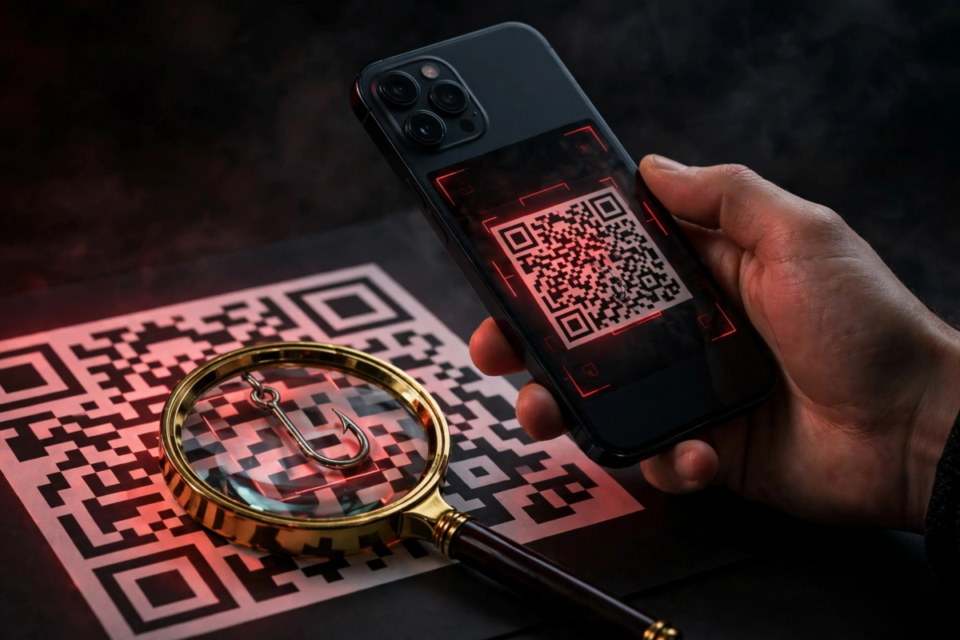
WhatsApp lets you link companion devices by scanning a QR code from your phone. Attackers abuse this with brief physical access to an unlocked phone, a minute at a family gathering is enough, then scan the pairing code with their own laptop and read your messages in WhatsApp Web unnoticed. A newer variant is pure social engineering: a scammer sends a QR code in chat asking you to scan it “to claim a prize”, but it is a device-linking request. Check Settings, then Linked Devices, regularly, and log out anything unfamiliar.
Fake WhatsApp mods and “WhatsApp Gold”
Unofficial apps like GB WhatsApp, WhatsApp Plus, and the long-running “WhatsApp Gold” hoax promise extra features but come from outside the official app stores. These mods are a classic malware route: they can harvest messages, steal your session, or get your number banned, since WhatsApp actively bans accounts using them. There is no legitimate “premium” version. Download only from the Google Play Store or Apple App Store, and treat any upgrade offer as a scam.
The August 2026 Security Upgrade: What Changed
On 25 August 2026, WhatsApp announced its most significant account-security overhaul in years, and every user should know what it contains. Full details were published by Meta in its announcement of the new account security features, and the changes roll out across Android and iOS.
First, two-step verification no longer relies on a six-digit PIN: you can now set a full password, longer and alphanumeric with letters, numbers, and special characters, far harder to guess after a SIM swap. WhatsApp specifically called out anyone still using “123456”. Second, passkey support expanded: more than a billion people had set one up by August 2026, and you can now register multiple passkeys per account, handy if you use both Android and iPhone. A passkey signs you back in with fingerprint, Face ID, or screen lock instead of codes. Third, Android users now see richer context for unknown callers, including whether the number is from another country and whether you share groups, making scam calls easier to spot.
These upgrades close real gaps, but they cannot protect anyone who hands over a code or scans an attacker’s QR code. The settings below make the difference.
The 7-Step WhatsApp Hardening Checklist
Work through these in order. The whole list takes about fifteen minutes, and it blocks nearly every known takeover method.
- Turn on two-step verification with a strong password. Go to Settings, then Account, then Two-step verification, and enable it. Since the August 2026 update you can set a full password rather than a short PIN, so choose something long and unique, and store it in a password manager. WhatsApp will occasionally ask for it to confirm you remember it.
- Add a recovery email. During setup, add an email address you control: forget your password without one and you could be locked out for days. Use an email account that itself has two-factor authentication enabled.
- Set up a passkey. Go to Settings, then Account, then Passkeys, and register your fingerprint, Face ID, or screen lock. More than a billion users have done this, per Meta, and it is the fastest, most phishing-resistant way to verify your identity.
- Review your linked devices. Open Settings, then Linked Devices, and look at every listed computer, browser, and phone. Log out anything you do not recognise immediately, and make this check a monthly habit. This single screen is where most silent takeovers become visible.
- Switch on end-to-end encrypted backups. Your chat backup in Google Drive or iCloud is a treasure chest for attackers if unencrypted. In Settings, then Chats, then Chat backup, turn on end-to-end encrypted backup and set a strong password or 64-digit key. Without this, anyone who compromises your cloud account can read your history.
- Lock your sensitive chats. Chat lock moves chosen conversations into a folder requiring your fingerprint, Face ID, or passcode to open, and hides message previews in notifications. Long-press any chat, choose Lock chat, and apply it to banking, work, and personal threads. On shared devices this is essential.
- Use disappearing messages and verify safety numbers for sensitive contacts. Where no permanent record is needed, enable disappearing messages at 24 hours or 7 days so old messages cannot be scraped later. For high-stakes contacts, compare safety numbers (contact info, then Encryption) in person or by voice to confirm nobody is intercepting the chat. Beyond WhatsApp, protect logins with two-factor authentication; our roundup of the best 2FA apps covers the strongest options.
Spotting a Hijack in Progress
Takeovers leave traces if you know where to look. Act fast on any of these warning signs:
- A WhatsApp registration code you did not request arrives. Someone is registering your number on another phone. Do not share it, and confirm two-step verification is still on.
- A new device appears under Linked Devices. If you see a browser or phone you do not recognise, log it out immediately and re-secure your account.
- Contacts report strange messages from you. Attackers typically message the victim’s contacts asking for money or codes. Warn your contacts not to engage.
- You are suddenly logged out. An attacker completing registration on a new phone pushes your device out. Re-register with your code, then enable every protection in the checklist.
- Your two-step verification password stops working. This suggests someone changed it, which requires email access. Secure your email account first, then recover WhatsApp through the official Help Centre flow.
Most of these attacks start with a convincing lie rather than clever hacking, so the scepticism that helps you spot a phishing email applies to unexpected WhatsApp messages too.
Frequently Asked Questions
Can WhatsApp be hacked?
WhatsApp’s end-to-end encryption has not been broken, but accounts are hijacked regularly through SIM swapping, stolen verification codes, malicious linked devices, and fake app mods. The encryption protects messages in transit; the account itself is the weak point. Enabling two-step verification, passkeys, and encrypted backups closes the attack paths criminals actually use.
How do I know if my WhatsApp is hacked?
Look for a registration code you did not request, unfamiliar entries under Settings then Linked Devices, contacts receiving odd messages from you, being logged out unexpectedly, or your two-step verification password no longer working. If you spot any of these, log out unknown devices immediately, re-register your number, and change your two-step verification password.
Is WhatsApp safe without two-step verification?
It is far less safe. Without two-step verification, anyone who obtains your SMS code, via SIM swapping or a social trick, can take over your account in minutes. With it on, the attacker also needs your password, which stops most takeovers cold. Since August 2026 you can use a full password, so there is no reason to leave it off.
Are WhatsApp backups safe?
They are safe only with end-to-end encrypted backup turned on. Without it, your chat history sits in Google Drive or iCloud protected merely by your cloud account’s security, and anyone who compromises that cloud account can read everything. Turn on encrypted backup in Settings, then Chats, then Chat backup, and guard the backup password as carefully as your two-step verification password.
Should I use WhatsApp mods like GB WhatsApp?
No. Unofficial mods such as GB WhatsApp and WhatsApp Plus are distributed outside the official app stores, frequently contain spyware, and can get your number permanently banned by WhatsApp. The “WhatsApp Gold” upgrade messages are an old hoax used to spread malware. Use only the official app from the Google Play Store or Apple App Store.
Conclusion
WhatsApp’s encryption is strong, but encryption was never the target. With more than 3 billion monthly users, confirmed by Meta on its April 2025 earnings call, and over 2 billion people using it daily as of January 2026, WhatsApp is simply too valuable a target for criminals to ignore, so they attack the account: the SIM, the code, the linked device, the fake app. The August 2026 upgrade, stronger two-step verification passwords, multiple passkeys, and smarter unknown-caller screening, gives you better tools than ever. Use them. Fifteen minutes with the checklist above turns your account from an easy target into one most attackers will walk past.