What Is Social Engineering? How Attackers Trick You in 2026
Learn how social engineering attacks exploit trust, the six common techniques attackers use, and practical ways to protect yourself in 2026.

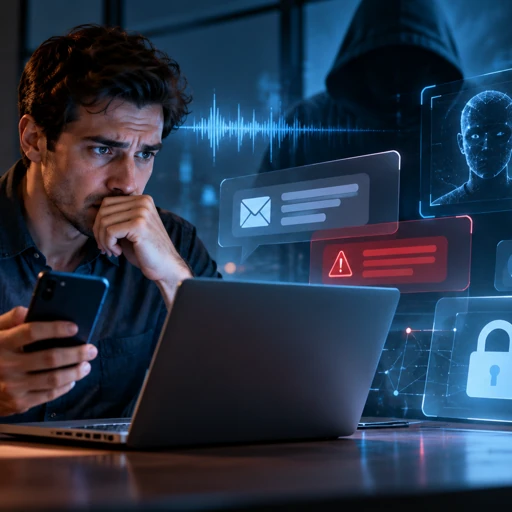
Imagine receiving a phone call from your manager asking you to urgently approve a payment. The voice sounds familiar, the request seems reasonable, and the caller knows your name. But the person speaking might be a criminal using AI-generated audio. This is social engineering, a cybersecurity threat that targets human judgment instead of software vulnerabilities.
In 2026, attackers use convincing emails, cloned voices, deepfake video calls, fake job offers, and malicious QR codes to manipulate people into revealing information or transferring money. Understanding these tactics is essential because even experienced technology users can fall for carefully constructed deception.
Quick Answer: Social engineering is a cyberattack technique that manipulates people into sharing sensitive information, sending money, or granting unauthorized access. Instead of breaking through technical security controls, attackers exploit trust, fear, urgency, and authority. In 2026, common methods include phishing emails, AI voice-cloning scams, fraudulent text messages, and impersonation. The best defense is independent verification, strong authentication, and healthy skepticism toward unexpected requests.
What Is Social Engineering in Cybersecurity?
Social engineering refers to psychological manipulation designed to make someone perform an action that benefits an attacker. That action might involve revealing a password, downloading malicious software, approving a fraudulent payment, or providing access to confidential business documents.
Unlike a traditional software exploit, social engineering often works without compromising a technical vulnerability. The attacker persuades an authorized person to bypass normal security procedures.
For example, a criminal might impersonate an IT employee and ask someone to share a Microsoft 365 verification code. The attacker does not need to break Microsoft’s encryption if the victim willingly provides the code.
According to Verizon’s 2025 Data Breach Investigations Report, human involvement appeared in approximately 60% of analyzed breaches. This broader category includes social engineering, credential misuse, and human errors.
The 2026 Verizon report also highlighted a shift toward mobile attacks, reporting that interactive social engineering through calls and messages had a 40% higher success rate than traditional email phishing in its analysis.
These findings explain why organizations need more than antivirus software and firewalls. They also need procedures that make manipulation harder to succeed.
The Psychology Behind Social Engineering Attacks
Social engineering succeeds because attackers exploit normal human behavior. People are accustomed to trusting coworkers, responding to urgent problems, and following requests from authority figures.
1. Urgency: Creating Pressure to Act Immediately
Attackers create artificial deadlines to discourage careful thinking. A message might claim that your Microsoft account will be suspended in 15 minutes unless you verify your identity.
The deadline is usually invented. Its purpose is to encourage immediate action before you inspect the sender, destination, or request.
Example: A fake delivery notification claims your package will be returned unless you pay a small fee through an unfamiliar website.
2. Authority: Pretending to Be Someone Important
People naturally respond to requests from managers, banks, government agencies, and technology support teams. Attackers exploit that tendency by impersonating trusted organizations.
A criminal might pretend to represent Microsoft support, your company’s finance department, or a senior executive.
In 2026, generative AI makes impersonation more convincing. A fabricated voice message can sound like a recognizable colleague, while a deepfake video can imitate someone’s appearance.
3. Fear, Curiosity, and Trust
Fear-based scams claim your bank account has been compromised or that legal action is imminent. Curiosity-based attacks promise access to confidential documents, unexpected refunds, or exclusive opportunities.
Trust-based attacks are often more sophisticated. Criminals may study LinkedIn profiles, public company information, and previous conversations before approaching a target.
The important distinction is that social engineering attacks do not always look suspicious or aggressive. Some begin with friendly conversations that gradually establish credibility.
The 6 Main Types of Social Engineering Attacks
Social engineering is an umbrella term covering several attack methods. These six categories explain how criminals reach victims and what they typically want.
1. Phishing: Fraudulent Emails and Websites
Phishing uses deceptive emails or websites to steal credentials, distribute malware, or request payments. Attackers often imitate well-known services such as Google Workspace, Microsoft 365, PayPal, or DocuSign.
Real-world scenario: An employee receives an email claiming that a shared Microsoft 365 document requires immediate verification. The link opens a convincing imitation of a Microsoft sign-in page designed to capture credentials.
Advanced phishing attacks can use adversary-in-the-middle techniques to capture session information, potentially bypassing certain traditional multifactor authentication methods.
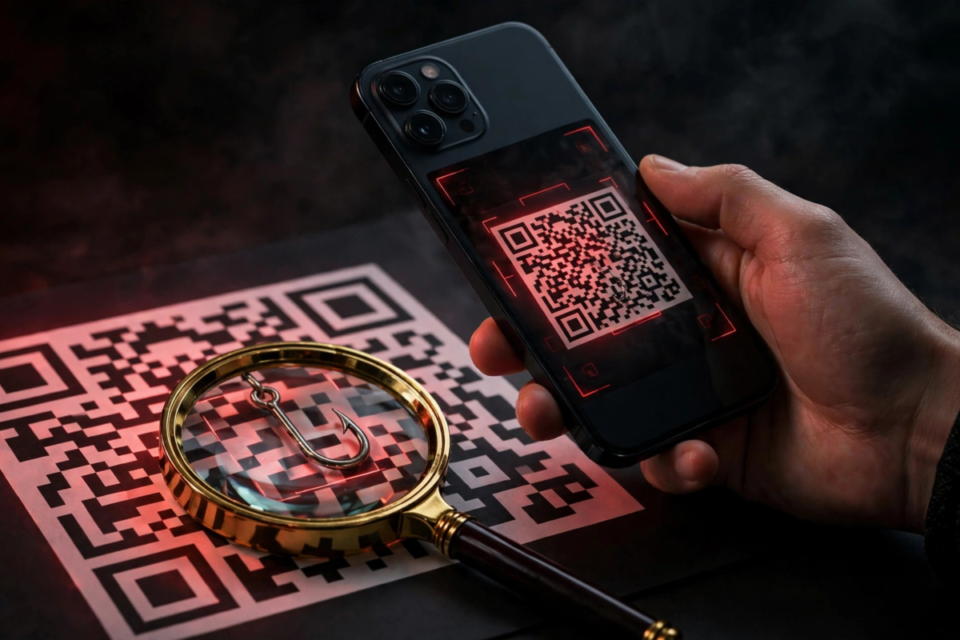
Attackers also use QR code phishing, sometimes called quishing. A QR code in an email or printed notice sends the victim to a fraudulent login or payment page.
Learning how to spot a phishing email is an important first step, especially when messages imitate familiar services.
2. Vishing: Voice Phishing and AI Voice Cloning
Vishing uses telephone calls or voice messages to manipulate victims. Attackers frequently pretend to be bank representatives, technical support agents, or company executives.
Real-world example: In 2024, Hong Kong police reported a fraud involving a deepfake video conference in which criminals impersonated colleagues and convinced an employee to transfer approximately HK$200 million.
The case illustrates how synthetic video and audio can strengthen impersonation attacks.
By 2026, accessible voice synthesis tools such as ElevenLabs have made realistic AI-generated speech an important consideration in fraud prevention. The existence of these legitimate tools does not make their use fraudulent, but their underlying capabilities can be misused.
A familiar voice is no longer sufficient proof of someone’s identity. Confirm unusual financial requests using an independently established contact method.
3. Smishing: Text Message Scams
Smishing combines SMS messaging with phishing. Fraudulent texts frequently impersonate delivery companies, toll operators, banks, and government services.
Real-world scenario: Someone receives an unexpected text claiming an unpaid road toll will result in penalties. The message contains a payment link leading to a fake collection website.
Similar scams circulate through WhatsApp, iMessage, and other messaging platforms.
Smishing succeeds partly because people often read text messages quickly. Short messages can also hide important details about suspicious links or sender identities.
4. Pretexting: Inventing a Believable Story
Pretexting involves creating a fictional identity or situation to persuade someone to disclose information or perform an action.
Real-world scenario: An attacker posing as an internal IT technician contacts an employee through Microsoft Teams. They claim the employee’s account requires troubleshooting and ask the employee to approve a login prompt.
Pretexting can continue over multiple conversations. Attackers may gather seemingly harmless details before requesting something sensitive.
Fake recruitment campaigns are another example. A fraudulent recruiter might approach developers on LinkedIn, arrange an interview, and direct candidates to execute an unfamiliar coding project.
Some malicious recruitment campaigns have distributed malware through fake interview tasks, repositories, and job-related downloads.
5. Baiting: Offering Something Tempting
Baiting attracts victims by offering something desirable, such as free software, valuable documents, prizes, or exclusive access.
Real-world scenario: An employee discovers a USB drive labeled as containing confidential salary information. After connecting it to a workstation, the device exposes the employee to a potential malware or device-based attack.
Online baiting works similarly. Criminals may distribute fake software installers or manipulated downloads disguised as legitimate applications.
A safer practice is to obtain software directly from verified publishers or approved company repositories.
6. Business Email Compromise: Impersonating Business Contacts
Business email compromise, or BEC, targets organizations through fraudulent financial or administrative requests.
Attackers might compromise a genuine business mailbox, spoof an email address, or impersonate a supplier.
Real-world scenario: An accounting employee receives an apparently legitimate email from a regular supplier requesting that future invoice payments go to a different bank account.
The invoice details look familiar, but the new account belongs to a criminal.
The FBI’s 2024 Internet Crime Report recorded approximately $2.77 billion in reported business email compromise losses. Its 2025 report continued to identify BEC as a major source of financial harm.
This attack is particularly dangerous because the fraudulent instruction may appear within an existing business relationship rather than an obvious spam message.
Social Engineering Attack Types Compared
The following table summarizes the most common approaches and the defensive response for each.
| Attack Type | How It Reaches You | Red Flags | What to Do |
|---|---|---|---|
| Phishing | Email, websites, QR codes | Unexpected login requests, unusual domains | Open the service independently |
| Vishing | Phone calls, voice messages | Urgent requests, unusual financial instructions | Hang up and call a verified number |
| Smishing | SMS, WhatsApp, iMessage | Payment threats, suspicious links | Check the official app or website |
| Pretexting | Calls, chats, fake interviews | Unverified identities, requests for access | Confirm identity through trusted channels |
| Baiting | USB drives, downloads, offers | Unexpected files, unusually attractive offers | Avoid unknown devices and installers |
| Business Email Compromise | Corporate email, collaboration tools | Changed bank details, secret payment requests | Verify through established financial procedures |
How to Spot a Social Engineering Attack in 30 Seconds
You do not need advanced cybersecurity knowledge to recognize many suspicious requests. A short verification routine can interrupt the psychological pressure attackers depend on.
- First 5 seconds: Identify the request. Determine whether someone wants money, passwords, authentication codes, personal information, or software installation.
- Next 5 seconds: Check the claimed identity. Ask whether you were expecting this communication and whether the sender’s identity has been independently confirmed.
- Next 5 seconds: Look for pressure. Notice deadlines, threats, secrecy, unexpected rewards, or demands to bypass company procedures.
- Next 5 seconds: Inspect the destination. Examine links, email domains, attachments, and QR code destinations without opening suspicious content.
- Next 5 seconds: Consider the consequences. Ask what could happen if the request is fraudulent, particularly if it involves payments or account access.
- Final 5 seconds: Choose an independent channel. Open the official application, call a previously verified number, or contact your organization’s security team.
Thirty seconds is a useful initial screening routine, not a guarantee that every attack will be detected. Sophisticated impersonation may require additional investigation.
The central rule: Never treat information inside a suspicious message as independent proof that the message is legitimate.
How to Protect Yourself From Social Engineering
Use Phishing-Resistant Authentication
Enable multifactor authentication wherever possible, but understand that authentication methods provide different levels of protection.
Passkeys and FIDO2 security keys, including compatible YubiKey devices, provide stronger phishing resistance than SMS-based verification codes.
Apple, Google, and Microsoft support passkey technology across many accounts and devices. Availability depends on the specific service and account configuration.
Never share one-time verification codes or approve unexpected authentication requests, even when someone claims to represent technical support.
Use Password Managers and Security Tools
Password managers such as Bitwarden, 1Password, and Apple Passwords help users maintain unique credentials across services.
They can also reduce some phishing risks because saved credentials are associated with specific website origins. However, they do not prevent every form of impersonation.
Microsoft Defender, Google Safe Browsing, and organization-managed endpoint protection can identify certain malicious websites and downloads.
These tools complement, rather than replace, independent verification.
Limit Publicly Available Personal Information
Attackers can use publicly available information to personalize scams. LinkedIn profiles, company directories, social media posts, and public announcements may reveal job titles, reporting relationships, and business activities.
Review privacy settings and avoid unnecessarily publishing information that could assist impersonation.
For broader protection, learn the essential cybersecurity basics, including account security, software updates, secure browsing, and data protection.
How Businesses Can Defend Their Teams
Organizations need repeatable procedures rather than relying entirely on employees recognizing suspicious messages.
Require Independent Payment Verification
Finance teams should confirm changes to supplier bank details through previously established phone numbers or authenticated business systems.
Consider requiring two authorized employees to approve high-value transactions and changes to payment destinations.
A convincing email or video conference should never independently override documented financial controls.
Train Employees With Realistic Scenarios
Security awareness platforms such as KnowBe4 and Microsoft Attack Simulation Training can support phishing simulations and employee education.
Training should cover modern examples, including fake job offers, QR code phishing, AI-generated voice messages, and fraudulent collaboration requests.
Employees also need a straightforward reporting process that encourages early reporting without embarrassment or punishment for good-faith mistakes.
Secure Email and Identity Systems
Organizations should configure SPF, DKIM, and DMARC to help protect email domains against certain impersonation techniques.
Identity platforms such as Microsoft Entra ID and Okta can provide conditional access, phishing-resistant authentication options, and centralized account security policies.
Administrators should also monitor suspicious sign-ins, unexpected inbox forwarding rules, and unauthorized changes to authentication methods.
Prepare for Incidents
If an employee shares credentials or approves a suspicious login, the security team should quickly secure the affected account, revoke compromised sessions, investigate activity, and preserve relevant evidence.
If money has been transferred, contact the financial institution immediately to explore recovery options and report the incident to appropriate authorities.
Where social engineering leads to malicious software installation, established ransomware protection practices, including tested backups and endpoint monitoring, help limit potential damage.
The FBI’s Internet Crime Complaint Center and the U.S. Cybersecurity and Infrastructure Security Agency provide additional guidance on reporting incidents and responding to cyber threats.
Frequently Asked Questions
Is social engineering illegal?
Social engineering is not automatically illegal because the term also describes techniques for influencing behavior. However, using deception to steal credentials, commit fraud, access systems without authorization, or impersonate someone for criminal purposes can violate applicable laws. The legal consequences depend on the actions involved, their intent, and the jurisdiction where they occur.
What is an example of social engineering?
A common example is an email pretending to come from Microsoft that claims your account will be disabled unless you sign in immediately. The link opens a fraudulent website that captures your credentials. Other examples include fake bank calls, fraudulent delivery texts, impersonated executives, and malicious job interview invitations designed to trick applicants into installing software.
How do I know if I am being socially engineered?
Look for unexpected requests involving passwords, verification codes, payments, sensitive documents, or software downloads. Attackers often create urgency, impersonate trusted organizations, or discourage independent verification. A polished message or familiar voice does not establish authenticity. When something seems unusual, stop the interaction and contact the organization through a trusted channel you already know.
Can social engineering attacks be stopped completely?
No security measure can guarantee that every social engineering attempt will fail. However, phishing-resistant authentication, employee education, transaction verification, secure email configuration, and strong reporting procedures can significantly reduce exposure. Organizations should combine technical safeguards with practical business controls so that one manipulated employee cannot easily compromise sensitive accounts or authorize large fraudulent transactions.
What is the difference between phishing and social engineering?
Social engineering is the broader practice of manipulating people into taking actions that benefit an attacker. Phishing is one specific technique that uses deceptive messages or websites, commonly through email. Other social engineering methods include phone scams, fraudulent text messages, pretexting, baiting, and business email compromise. Therefore, phishing is a form of social engineering, but not all social engineering is phishing.
Conclusion: Verify Before You Trust
Social engineering remains a serious cybersecurity threat in 2026 because it targets human decisions rather than relying exclusively on software weaknesses. AI-generated voices, realistic impersonation, fraudulent QR codes, and targeted business scams make suspicious interactions harder to recognize.
However, the most effective defenses remain practical. Verify unusual requests independently, use phishing-resistant authentication, protect sensitive information, and establish clear procedures for financial transactions and account access.
Businesses should support these habits with employee training, security monitoring, and straightforward reporting channels.
The most important takeaway is simple: a convincing message, familiar voice, or recognizable identity is not proof of legitimacy. Always verify before acting.
“`
\\\\