AI Logo Generators vs Human Designers in 2026: Which Should You Choose?
Compare AI logo makers and human designers in 2026, including prices, creative quality, ownership concerns, and the best choice for your business.

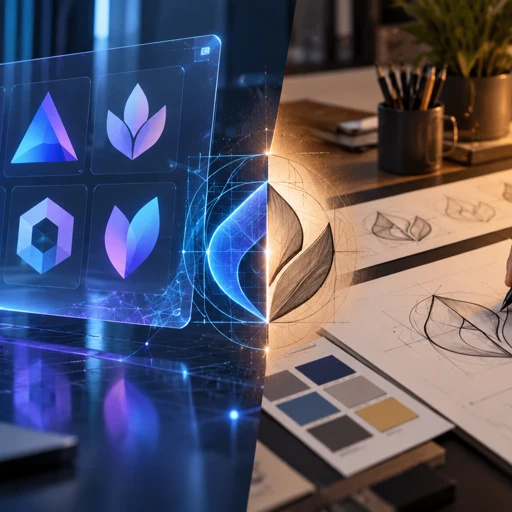
A logo is often the first visual decision a new business makes, and artificial intelligence has changed how quickly that decision can happen. Tools like Looka, Brandmark, Canva, and Midjourney can produce logo concepts in minutes. Meanwhile, professional designers still charge for research, originality, strategy, and carefully crafted visual identities.
The debate around AI logo generators vs human designers is not simply about which creates better-looking graphics. It is about how much control, originality, flexibility, and long-term value your business needs. Here is how both options compare in 2026, including actual costs, legal considerations, and practical recommendations.
Quick answer: AI logo generators are better for tight budgets, quick prototypes, and businesses testing an idea. Human designers are better for distinctive branding, professional execution, and businesses planning to grow. AI tools often cost $20 to $200, while custom design can cost hundreds or thousands. For many startups, using AI for inspiration and a designer for final execution offers the strongest balance.
How AI Logo Generators Work in 2026
AI logo generators use automated design systems, machine learning, or generative image models to turn business information into visual concepts. You typically enter your company name, industry, preferred colors, and style, then select from generated options.
However, not every AI design tool works the same way. Some arrange existing design components, while others generate entirely new raster images from text prompts.
Popular AI Logo Design Tools
- Looka: Generates customizable logo concepts and offers downloadable files, brand kits, and marketing templates. Its logo packages include basic PNG downloads and premium vector files.
- Brandmark: Uses automated logo generation and offers brand guidelines, editable assets, and additional identity materials in higher-priced packages.
- Canva: Combines logo templates, manual editing, and AI-assisted design features. It is especially convenient for businesses already creating social media graphics.
- Adobe Firefly: Supports generative visual exploration, while Adobe Illustrator provides stronger tools for converting approved concepts into production-ready vector artwork.
- Midjourney V8.2: Offers image generation suited to experimenting with symbols, visual directions, and brand aesthetics. It is not a dedicated vector logo production system.
According to Midjourney’s version documentation, V8.2 became its default model in July 2026. Its improvements focus on aesthetics, image quality, and personalization. That makes it useful for exploring visual ideas, although attractive generated artwork still requires technical refinement before becoming a dependable logo.
For a small company that wants to create something independently, learning to design a logo in Canva can be a practical starting point.
AI Logo Generators vs Human Designers: Full Comparison
The main differences become clearer when comparing actual business requirements rather than sample images.
| Factor | AI Logo Generators | Human Designers |
|---|---|---|
| Typical cost | $20 to $200+ for many packages | Hundreds to thousands of dollars |
| Turnaround | Minutes to hours | Days to weeks |
| Originality | May resemble common patterns | Can develop tailored concepts |
| Brand research | Limited or user-directed | Can include audience and competitor research |
| Customization | Depends on platform controls | Usually much more flexible |
| File quality | Varies by package | Professional vector files when specified |
| Trademark concerns | Requires independent checking | Also requires proper clearance |
| Best use | Experiments and simple businesses | Distinctive, long-term branding |
These are typical differences, not guarantees. A carefully edited AI-assisted logo can outperform poor freelance work. Likewise, hiring someone does not automatically guarantee originality or trademark availability.
Speed and Convenience
AI wins when speed is the priority. A founder can generate several concepts during a lunch break, compare color combinations, and purchase a usable design without scheduling meetings.
Human designers need time to understand the project, develop concepts, collect feedback, and prepare files. That additional time becomes valuable when the business needs more than a visually acceptable symbol.
Creative Control and Consistency
Automated tools are strongest when the desired outcome fits their available styles. They become more restrictive when a business needs unusual typography, precise geometry, or a memorable custom symbol.
A skilled designer can deliberately adjust letter spacing, refine curves, simplify shapes, and create coordinated horizontal, stacked, and icon-only versions. These details often determine whether a logo remains recognizable across different applications.
How Much Does AI Logo Design Cost Compared With Hiring a Designer?
Price is one of the clearest reasons businesses consider AI tools. However, comparing only the cheapest advertised packages can hide important differences in deliverables.
Real AI Logo Generator Pricing
According to Looka’s published pricing information, its Basic Logo Package costs $20 for a PNG file, while its Premium Logo Package costs $65 and includes additional file formats. Looka also offers subscription-based brand kits.
Brandmark’s published pricing page lists three one-time packages:
- Basic, $35: Logo files in PNG and vector formats.
- Designer, $95: Source files, revisions, brand guidelines, and marketing materials.
- Enterprise, $195: Additional features including handcrafted design concepts.
These are published prices, not guaranteed checkout totals. Always confirm current costs, licensing, and included formats before purchasing.
What Professional Designers Charge
Custom logo design commonly costs hundreds to thousands of dollars, depending on the designer’s experience, research process, number of concepts, revisions, and usage requirements.
Lower-cost professional options also exist. For example, NanoWave lists startup logo packages starting at $99 through its custom logo design service. More comprehensive identity projects may cost considerably more.
For a detailed breakdown of freelance rates, agency pricing, and deliverables, see our guide explaining how much logo design costs.
The important distinction: You are not necessarily paying a designer for more images. You are paying for judgment, problem-solving, refinement, and a design process that addresses specific business goals.
Originality, Copyright, and Trademark Risks
One of the most overlooked differences between automated logo creation and professional design is the legal uncertainty surrounding AI-generated artwork.
Can an AI-Generated Logo Be Copyrighted?
According to the U.S. Copyright Office’s January 2025 report, material created entirely through AI without sufficient human authorship generally does not qualify for copyright protection.
However, meaningful human creative contributions may qualify. This includes original arrangements, modifications, or expressive elements created by a person. Simply entering prompts does not automatically establish human authorship.
This distinction matters because purchasing an AI-generated logo does not necessarily mean every visual element receives copyright protection, even if a platform grants commercial usage rights.
Trademark Protection Is a Separate Issue
Copyright and trademark law address different concerns. Trademarks can protect brand identifiers associated with particular goods or services, while copyright concerns qualifying creative expression.
An AI-generated logo may be eligible for trademark registration if it satisfies applicable requirements. However, existing similar marks can create problems regardless of how the logo was produced.
AI generators learn patterns from training data or assemble reusable design elements. Consequently, visually similar results can occur across different users. Human designers can research competitors and develop distinctive concepts, but they cannot guarantee legal clearance either.
Before investing heavily in a brand, search relevant trademark databases, examine competing businesses, and obtain professional legal advice when necessary.
When Should You Choose an AI Logo Generator?
AI design makes practical sense when the cost of creating a polished identity exceeds the immediate value of the business idea.
Testing a Business Concept
Imagine launching a small online store to test demand for handmade candles. You need a recognizable name and simple visual identity for your website and social profiles.
Spending $1,500 on branding before validating sales may be unnecessary. A $65 logo package or a carefully customized Canva design could be sufficient for initial testing.
Temporary Projects and Internal Branding
AI tools are useful for event graphics, prototype apps, internal presentations, personal projects, and early product mockups.
For these situations, speed and acceptable visual quality matter more than building a permanent, defensible brand identity.
Still, avoid common logo design mistakes, including complicated symbols, poor contrast, generic icons, and typography that becomes unreadable at smaller sizes.
When Is Hiring a Human Designer Worth It?
Professional design becomes more valuable when the logo represents a serious commercial investment.
Building a Brand for Long-Term Growth
Consider a software company preparing to launch a subscription product. Its identity will appear across the website, dashboard, mobile app, investor presentations, and advertising campaigns.
A designer can create a coordinated visual system rather than a single standalone logo. That system may include typography, color specifications, iconography, spacing rules, and detailed usage guidelines.
Competing in a Crowded Market
Restaurants, real estate businesses, skincare brands, and technology startups frequently use similar visual conventions. Automated tools may repeatedly suggest familiar symbols such as leaves, buildings, abstract circles, or circuit patterns.
A designer can investigate these conventions and deliberately establish a different visual direction.
For example, a cybersecurity company might avoid predictable shield imagery and instead develop a distinctive geometric monogram. That decision can help create recognition across packaging, interfaces, and advertising.
Producing Reliable Design Assets
A professional logo should work beyond a large website header. It may need to appear on embroidered uniforms, product packaging, storefront signs, and small mobile screens.
Designers can test those applications and deliver suitable SVG, EPS, PDF, and transparent PNG files. These formats should be requested explicitly because deliverables vary between professionals and services.
The Hybrid Approach: Using AI and Human Design Together
For many businesses, the most efficient approach combines AI-assisted exploration with professional refinement.
Rather than treating technology and designers as competitors, use each where it performs best.
- Define the brand: Identify your audience, competitors, personality, and practical requirements before generating anything.
- Explore visual directions: Use Looka, Canva, Adobe Firefly, or Midjourney V8.2 to investigate colors, compositions, and symbolic ideas.
- Select promising concepts: Narrow the options to two or three directions based on relevance, simplicity, and memorability.
- Commission original refinement: Ask a designer to develop a distinctive logo using the concepts as references, not simply trace generated artwork.
- Test and verify: Review the finished design at different sizes, check similarity risks, and request appropriate file formats.
For example, a startup founder might spend an afternoon exploring visual directions in AI tools, then provide the strongest references to a designer. This can reduce uncertainty during the briefing process without eliminating the designer’s creative contribution.
The hybrid approach does not automatically resolve copyright or trademark concerns. Original human work, appropriate licensing, and independent clearance still matter.
Frequently Asked Questions
Are AI logo generators better than professional designers?
AI logo generators are better for affordability, speed, and exploring many basic concepts. Professional designers are generally better when originality, detailed customization, and consistent brand applications matter. The right choice depends on how important the logo is to your business, how long you expect to use it, and your available budget.
Can I legally use an AI-generated logo for my business?
Generally, yes, if the platform’s commercial usage terms permit it and your design does not violate someone else’s rights. However, commercial permission does not guarantee copyright protection or trademark availability. Review the tool’s license, investigate similar logos, and consider professional trademark advice before using the design extensively.
What is the best AI logo generator in 2026?
Looka is a practical option for businesses seeking a straightforward logo package, while Brandmark offers additional brand assets and editable files. Canva is convenient for manual customization, and Midjourney V8.2 is useful for generating creative references. The best choice depends on whether you need a finished logo, design inspiration, or ongoing marketing templates.
How much should a small business spend on logo design?
A business testing a new idea may reasonably begin with a $20 to $100 logo solution. An established company planning a lasting identity may benefit from spending several hundred dollars or more. Prioritize appropriate vector files, clear usage rights, legibility, and originality rather than choosing solely by the lowest advertised price.
Will AI replace human logo designers?
AI will likely continue reducing demand for basic, repetitive logo production. However, it does not eliminate the need for brand research, creative direction, custom typography, and strategic design decisions. Designers who use AI effectively while providing original thinking and dependable production skills can still offer substantial value to businesses.
Conclusion: Which Option Should You Choose?
The choice between AI logo generators and human designers comes down to what your business needs the logo to accomplish. If you are testing an idea, launching a small side project, or working with limited resources, AI offers an affordable starting point.
If your brand needs to stand apart in a competitive market, appear consistently across multiple platforms, or support long-term growth, professional design is usually the stronger investment.
For businesses between those extremes, AI-assisted concept development followed by human refinement offers a sensible compromise. Choose based on your brand’s long-term requirements, not simply how quickly or cheaply a logo can be produced.