How to Protect Yourself From AI-Powered Phishing in 2026
Learn how to recognize AI phishing attacks, prevent deepfake scams, and protect your accounts with passkeys and practical security habits.


AI-powered phishing attacks have become harder to recognize in 2026. Criminals now use artificial intelligence to write convincing emails, impersonate colleagues, clone voices, and create realistic video calls. Traditional warning signs, such as poor grammar and suspicious formatting, are no longer reliable indicators of fraud.
Fortunately, effective protection does not require advanced cybersecurity knowledge. By combining phishing-resistant authentication, independent identity verification, secure account management, and a few practical habits, you can significantly reduce your exposure to AI-assisted scams.
Quick Answer: The best approach to ai phishing protection in 2026 is to use passkeys or hardware security keys, verify unexpected requests through trusted communication channels, and avoid signing in through links received in messages. Enable account security alerts, use a reputable password manager, and independently confirm financial requests, even when the sender’s voice or appearance seems authentic.
What Is AI-Powered Phishing?
AI-powered phishing is a cyberattack that uses artificial intelligence to make fraudulent communications more believable, personalized, or scalable. Attackers try to manipulate victims into revealing passwords, authorizing payments, installing malware, or granting access to sensitive accounts.
Traditional phishing often relied on generic messages sent to thousands of recipients. Modern attacks can incorporate information from LinkedIn profiles, company websites, leaked databases, and publicly available social media posts.
For example, a criminal might create an email that appears to come from your company’s finance department. The message could reference a genuine project, use a realistic writing style, and request that you review an invoice through a fraudulent Microsoft 365 login page.
The underlying technique is still social engineering. Artificial intelligence simply allows attackers to produce more convincing impersonations with less manual effort.
Why AI Makes Phishing More Dangerous
According to Hoxhunt’s 2026 phishing research, AI-generated phishing campaigns increased sharply, with a 14-fold surge observed near the end of 2025. Its benchmarking research also highlights how convincingly AI-generated messages can perform in phishing simulations, with comparisons indicating approximately twice the click-through effectiveness of human-written alternatives in some testing contexts.
The precise effectiveness of an attack depends on its targeting, delivery method, and audience. However, Hoxhunt’s findings demonstrate why organizations cannot depend exclusively on spotting awkward or poorly written messages.
AI also enables criminals to translate messages naturally, imitate familiar conversational styles, and generate numerous variations designed to bypass spam filters.
Common AI Phishing Attacks You Should Recognize
Understanding how modern attacks operate is the first step toward effective ai phishing protection. The most concerning techniques in 2026 extend beyond suspicious emails.
1. AI-Generated Email Impersonation
Attackers use language models to create polished messages that resemble communications from banks, employers, software providers, and delivery companies.
A fake Google Workspace notification might claim that your organization requires immediate account verification. The email could contain accurate branding, professional language, and a realistic-looking sender name.
Instead of focusing only on grammar, inspect the actual sender address, destination domain, requested action, and surrounding circumstances. Our guide on how to spot a phishing email explains these warning signs in more detail.
2. Deepfake Voice Calls
Voice-cloning technology can generate speech resembling a specific person from recorded audio. Criminals may impersonate managers, relatives, or customer support representatives to request sensitive information or urgent payments.
Imagine receiving a call from someone sounding exactly like your supervisor, asking you to purchase gift cards or transfer money for an emergency.
A familiar voice is no longer sufficient proof of identity. End the conversation and contact the person through a number you already trust.
3. Deepfake Video Meetings
In January 2024, an employee at engineering firm Arup was deceived into transferring approximately $25 million after participating in a video conference populated by digitally impersonated company executives.
According to reporting confirmed by Arup, the employee completed 15 transfers to five bank accounts. The incident demonstrated that seeing multiple familiar faces on a video call does not guarantee that the participants are genuine.
The FBI’s Internet Crime Complaint Center, known as IC3, continued warning about AI-generated video impersonation and fraudulent business communications in 2026. Its guidance highlights deepfake video calls as a serious business email compromise risk.
4. AI-Powered Messaging and Consent Phishing
Fraudulent messages increasingly arrive through WhatsApp, Telegram, SMS, LinkedIn, and collaboration platforms such as Microsoft Teams.
Some attacks ask victims to authorize a malicious application rather than disclose a password. In September 2026, the FBI warned about OAuth consent phishing, where attackers trick users into granting fraudulent applications access to legitimate accounts.
These attacks can bypass your expectations because the final authorization screen may appear on a genuine Microsoft or Google service.
How to Protect Yourself From AI-Powered Phishing: 8 Practical Steps
The strongest defense combines technical safeguards with verification habits. These eight measures address the most common ways modern phishing attacks succeed.
Step 1: Replace Passwords With Passkeys Where Possible
Passkeys use cryptographic authentication instead of a reusable password. They can be stored through systems such as Apple Passwords, Google Password Manager, Windows Hello, 1Password, or Bitwarden.
Unlike passwords, passkeys are tied to legitimate websites and applications through their cryptographic credentials. A fraudulent website cannot normally use a passkey registered to the real service.
Start by enabling passkeys on important accounts that support them, especially Google, Microsoft, and your primary password manager. Keep account recovery methods secure because attackers may target recovery processes instead.
Step 2: Use Phishing-Resistant Multi-Factor Authentication
Not all multi-factor authentication methods provide equal protection. SMS codes and authenticator-generated one-time passwords add security, but sophisticated phishing websites can still capture and relay these codes.
FIDO2 hardware security keys, including supported YubiKey and Google Titan models, provide stronger resistance to credential phishing.
| Authentication Method | Phishing Resistance | Best Use |
|---|---|---|
| SMS verification codes | Limited | Fallback when stronger options are unavailable |
| Authenticator app codes | Limited against real-time phishing | Accounts without passkey support |
| Passkeys | High | Everyday personal and professional accounts |
| FIDO2 hardware security keys | High | Administrators, executives, and sensitive accounts |
Microsoft Authenticator supports passwordless authentication options, including passkey capabilities where available. However, entering a six-digit code from an authenticator application is not the same as using a phishing-resistant passkey.
For higher-risk users, Google Advanced Protection offers additional account safeguards, including strong authentication requirements.
Step 3: Verify Requests Through an Independent Channel
Never approve an unusual payment, password reset, or sensitive information request solely because it appears to come from someone you know.
If your manager sends a payment instruction through email, call them using a previously saved phone number or confirm through an established company communication channel.
Do not use a phone number, meeting invitation, or alternate contact provided in the suspicious message itself. Those details may lead directly back to the attacker.
For business transactions, establish a policy requiring independent confirmation before changing bank details or authorizing significant transfers.
Step 4: Use a Password Manager
Applications such as 1Password and Bitwarden help generate unique passwords, securely store credentials, and identify suspicious login situations.
A particularly useful feature is domain-aware autofill. If your password manager normally fills credentials on a legitimate service but refuses to recognize a convincing imitation, treat that as a warning.
However, autofill behavior is not a complete phishing detector. Attackers may redirect victims to genuine authorization pages or exploit existing account sessions.
Use a strong, unique password or passkey for your password manager itself, and configure its strongest available authentication settings.
Step 5: Stop Opening Login Pages Through Unexpected Links
If an email claims that your Microsoft 365 account is suspended, avoid signing in through the message’s embedded button.
Instead, open your browser and navigate directly to the service through a saved bookmark or its known official address. Review notifications from inside the authenticated application.
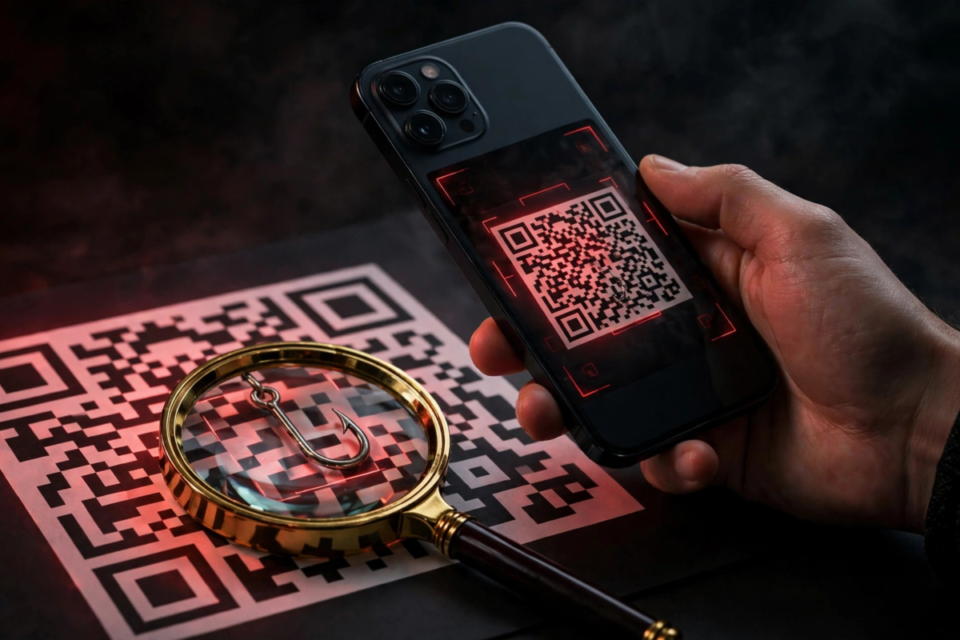
Be especially cautious about QR codes in emails, PDF attachments, and printed notices. QR-code phishing can conceal a malicious destination until you scan it.
Also review the permissions requested by third-party applications. A legitimate-looking Microsoft consent screen can still grant dangerous access to an attacker-controlled application.
Step 6: Protect Your Email and Personal Information
Criminals frequently personalize phishing attempts using information exposed through data breaches.
Check whether your email address appears in known breaches, replace reused passwords, and enable security notifications on important accounts.
You can check if your email was in a data breach to understand potential exposure and decide which accounts need attention.
Limit unnecessary public information about internal company procedures, financial approvals, and personal contact details. Attackers can use this material to craft convincing impersonations.
Step 7: Keep Devices and Browsers Updated
Install security updates for Windows, macOS, Android, iOS, and your primary web browser. Modern browsers such as Google Chrome, Microsoft Edge, and Safari include protections against known malicious destinations.
Enable built-in malicious website protection and avoid disabling warnings simply because a message appears urgent.
Businesses should consider managed endpoint protection, security policies, and restricted permissions for sensitive applications. These measures can reduce the damage caused by malicious attachments and compromised accounts.
Step 8: Treat Urgency as a Reason to Verify
Many successful attacks create pressure by claiming that immediate action is necessary.
Examples include threats of account suspension, unexpected payroll changes, confidential payment instructions, and requests to bypass standard approval procedures.
When a request involves money, credentials, or sensitive data, pause and verify the facts independently. A legitimate organization should have a safe procedure for confirming unusual instructions.
Best AI Phishing Protection Tools in 2026
No single application can eliminate phishing. However, a small combination of established tools can substantially improve account protection.
- 1Password: Stores passwords and passkeys, supports secure credential sharing, and helps users avoid reusing passwords.
- Bitwarden: Offers cross-platform password and passkey management, with options suitable for individuals and teams.
- Google Advanced Protection: Adds stronger safeguards for Google accounts, particularly useful for journalists, executives, and other high-risk users.
- Microsoft Authenticator: Supports account verification and passwordless authentication within compatible Microsoft environments.
- YubiKey and Google Titan: Physical security keys that support phishing-resistant authentication through FIDO2.
- Microsoft Defender and browser protections: Help identify malicious destinations, suspicious files, and certain account or device threats.
For most people, starting with a reputable password manager, passkeys, and built-in device protections is more useful than purchasing numerous overlapping security subscriptions.
Organizations should additionally consider enterprise email filtering, identity monitoring, conditional access policies, and employee reporting workflows.
What to Do If You Fall for an AI Phishing Attack
Quick action can reduce the impact of a compromised account or fraudulent transaction. Your response should depend on what information you disclosed.
- If you entered a password: Open the genuine service directly, change the password, and sign out of other sessions where possible.
- If you approved an authentication request: Review recent sign-ins, revoke unfamiliar sessions, and remove unauthorized authentication methods.
- If you granted application permissions: Review connected applications and revoke suspicious OAuth access.
- If you downloaded a file: Stop interacting with it, run an appropriate security scan, and contact your organization’s security team if the device is managed.
- If you transferred money: Contact your bank’s fraud department immediately and request assistance with freezing or recalling the transaction.
- If business information was exposed: Inform your IT or security department promptly so they can review account activity and protect other employees.
In the United States, suspected internet fraud can be reported to the FBI Internet Crime Complaint Center. Financial institutions and law enforcement may have a greater chance of limiting losses when incidents are reported quickly.
Do not delete suspicious messages before preserving relevant details for investigation. Also be cautious of supposed recovery agents who promise to retrieve stolen funds for an upfront fee.
AI Phishing Protection for Businesses and Remote Teams
Businesses face additional risks because attackers can impersonate executives, vendors, clients, and internal support staff.
A practical defense begins with clearly documented procedures for payments, credential resets, and account access approvals.
Require Verification for Financial Changes
Any request to modify vendor banking information should require confirmation through an established contact method. Larger transactions should involve two authorized employees and a documented approval process.
The Arup incident illustrates why video meetings cannot replace independent payment verification.
Protect High-Value Accounts First
Prioritize phishing-resistant authentication for administrators, finance teams, executives, and employees with access to sensitive customer information.
Microsoft Entra ID can help organizations implement authentication policies and conditional access controls. Google Workspace administrators can also strengthen account security through supported passkey and security-key configurations.
Practice Realistic Phishing Scenarios
Security training should include modern examples such as AI-written invoices, QR-code phishing, unexpected OAuth permission requests, and deepfake executive calls.
Make suspicious-message reporting straightforward. Employees should know exactly where to report an incident without worrying that a reasonable mistake will automatically result in punishment.
Measure progress through reporting rates, response times, and successful adherence to verification procedures rather than focusing only on simulated email clicks.
Frequently Asked Questions
Can AI phishing emails bypass spam filters?
Yes. AI-generated phishing emails can bypass some spam filters, especially when they contain convincing language, legitimate-looking formatting, or links that have not yet been classified as malicious. Email filtering remains useful, but it cannot guarantee complete protection. Combine filtering with passkeys, suspicious-link awareness, independent verification, and account security monitoring.
How can you tell if an email was written by AI?
There is no reliable way to determine whether an email was written by artificial intelligence simply by reading it. AI-generated messages can sound natural and professional. Instead, examine the sender’s domain, verify unexpected requests, check links carefully, and consider whether the message asks you to reveal information or bypass a normal process.
Are passkeys safer than passwords against phishing?
Yes. Passkeys generally provide stronger protection against credential phishing because they use cryptographic authentication associated with the legitimate service. A fake website cannot normally reuse a passkey registered to the real website. However, attackers may still target account recovery, compromised devices, malicious application permissions, or already authenticated sessions.
Can scammers clone someone’s voice to steal money?
Yes. AI voice-cloning tools can imitate familiar speech patterns, allowing criminals to impersonate relatives, executives, or customer support agents. Never treat a recognizable voice as sufficient evidence of identity. If someone unexpectedly requests money or confidential information, end the call and contact them using a previously verified number or communication channel.
What should I do after clicking an AI phishing link?
If you only opened a link, avoid entering information and close the page. If you submitted credentials, change them immediately through the legitimate website and review account activity. Revoke suspicious sessions or application permissions, scan downloaded files, and contact your bank or workplace security team when financial or business information may be affected.
Conclusion: Make Verification Your First Line of Defense
AI-powered phishing in 2026 is more convincing because attackers can produce realistic emails, voices, and videos at scale. Yet the most effective defenses remain practical and accessible.
Use passkeys or hardware security keys wherever possible, protect accounts with unique credentials, keep devices updated, and independently verify unusual requests. Businesses should reinforce these habits through clear approval procedures and realistic security training.
The most important lesson is simple: a convincing message, familiar voice, or realistic video is not proof of identity. Treat verification as a standard security step, especially when money, credentials, or sensitive information are involved.