Matter Smart Home Standard Explained: What It Means in 2026
Discover how Matter connects smart home devices across major platforms, what Thread and Matter 1.4 offer, and what to check before buying.

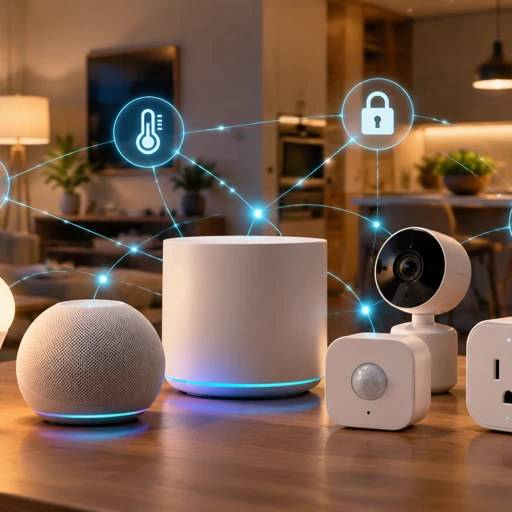
Matter is an open smart home connectivity standard that helps compatible devices from different manufacturers work with platforms such as Apple Home, Google Home, Amazon Alexa, and Samsung SmartThings. It runs over supported IP networks, including Wi-Fi and Thread, and provides a common way to discover, control, and automate devices. Matter reduces platform lock-in, although compatibility still depends on device type and implementation.
Matter is developed by the Connectivity Standards Alliance (CSA), the industry organization behind the Zigbee standard. Instead of forcing manufacturers to build separate integrations for every ecosystem, Matter gives participating products a shared foundation for communicating.
For consumers, that means a Matter-certified light bulb may work with Apple Home and Google Home without requiring separate versions of the bulb. However, some advanced features may remain exclusive to the manufacturer’s app or a particular platform.
Why Matter Exists: The Smart Home Compatibility Problem
Before Matter, smart home buyers often had to check whether every product supported their preferred ecosystem. A device designed for Amazon Alexa might offer limited functionality in Apple Home, while another product could require a proprietary hub.
Manufacturers also faced the cost of maintaining integrations across multiple platforms. Different APIs, cloud services, and firmware requirements made compatibility harder to manage.
Matter addresses this fragmentation by standardizing communication and device behavior. Rather than replacing every existing smart home technology, it creates a common application layer that supported devices and controllers can understand.
What Matter changes for everyday users
- More platform choice: Choose compatible devices without committing every purchase to one brand.
- Simpler setup: Add supported products through a compatible controller using a setup code or QR code.
- Local control: Many basic commands can travel across the local network instead of depending on a manufacturer’s cloud server.
- More flexible automation: Build routines around compatible lights, plugs, sensors, thermostats, and other supported devices.
- Less ecosystem lock-in: Multi-admin support can let one device appear in multiple smart home platforms simultaneously.
Matter does not make every smart home product universally compatible. A certified device must still support the relevant device category, and individual platforms may expose different controls.
Matter vs. Zigbee vs. Z-Wave vs. Wi-Fi
These technologies are not direct substitutes in every situation. Matter defines how compatible devices communicate at the application layer, while Wi-Fi, Thread, Zigbee, and Z-Wave describe different networking approaches or protocols.
| Technology | How it works | Typical uses | Main consideration |
|---|---|---|---|
| Matter | Common smart home application standard over supported IP networks | Lights, plugs, locks, sensors, thermostats | Needs compatible devices and controllers |
| Thread | Low-power wireless mesh networking using IPv6 | Battery-powered sensors, locks, and lighting controls | Thread devices need a suitable border router to reach the wider IP network |
| Zigbee | Low-power wireless networking with its own device ecosystem | Sensors, bulbs, switches | Often requires a Zigbee hub or bridge |
| Z-Wave | Low-power wireless networking, generally using regional sub-GHz frequencies | Locks, sensors, switches | Requires compatible Z-Wave controllers and regional radio support |
| Wi-Fi | Connects devices directly to a local wireless network | Cameras, appliances, plugs, displays | Can consume more power than low-power mesh options |
One important distinction is that Matter does not automatically make an existing Zigbee or Z-Wave device a Matter device. A compatible bridge can expose supported legacy devices to a Matter ecosystem, but the bridge determines which features are available.
Likewise, Matter can operate over Wi-Fi or Thread, depending on the product. Ethernet is also supported for appropriate devices. Your router, radio coverage, and network configuration still matter.
How Thread and Border Routers Work
Thread is a low-power mesh networking technology designed for connected devices that need reliable communication without using much battery power. It uses IPv6, allowing Thread-based Matter devices to participate in IP networking.
For example, a Thread motion sensor can send a signal that triggers a compatible Matter light. The mesh can route messages through other Thread devices, improving coverage when the network has enough suitable nodes.
What is a Thread border router?
A Thread border router connects a Thread mesh to another IP network, such as your home’s Wi-Fi or Ethernet network. It allows compatible devices on those networks to communicate without turning Thread into Wi-Fi.
Depending on the model and software support, border router functionality may be built into devices such as:
- Apple TV 4K models with Thread support and compatible HomePod models.
- Google Nest Hub devices that include Thread border router functionality.
- Compatible Samsung SmartThings hubs.
- Other certified smart home hubs and dedicated Thread border routers.
Check the exact model and hardware generation before purchasing. Not every Apple TV, Nest display, or SmartThings hub includes a Thread radio.
You may also need a separate Matter controller. Some products combine controller and border router functions, while others provide only one of them. The best setup depends on which ecosystem you use and which device types you want to control.
What Matter 1.4 Added
Matter evolves through specification releases, certification updates, and platform firmware changes. Matter 1.4, announced by the Connectivity Standards Alliance in November 2024, introduced improvements to home networking, energy management, and multi-device coordination.
Its significance is that Matter is expanding beyond basic lights and plugs toward more comprehensive household management.
Energy management and reporting
Matter 1.4 introduced improvements to energy-management capabilities, including standardized support for compatible energy-related devices and reporting. Depending on the supported device category and implementation, these capabilities can help smart home platforms represent energy use and coordinate household energy resources.
Examples include monitoring supported electrical loads, managing energy-related devices, and integrating compatible solar, battery, or other residential energy equipment. Actual capabilities depend on the device, the platform, and the relevant feature implementation.
Home routers and access points
Matter 1.4 also introduced improvements around enhanced home network infrastructure, including support for compatible home routers and access points as smart home devices. This creates a foundation for better coordination between networking equipment and connected devices.
Multi-admin and device coordination
Matter supports multi-admin, which allows compatible devices to be commissioned into more than one Matter ecosystem. Matter 1.4 continued the standard’s development toward a more cohesive connected-home experience, but users should distinguish features introduced in the specification from features already implemented by retail products.
A specification update does not mean every Matter device automatically receives new capabilities. Manufacturers may need to release firmware updates, and smart home platforms must implement the relevant features.
For the authoritative specification history, consult the Connectivity Standards Alliance and its Matter announcements.
Multi-Admin: Using Apple Home, Google Home, and Alexa Together
Multi-admin is one of Matter’s most practical features. Traditionally, some devices were tightly tied to one manufacturer’s app or ecosystem. Matter can allow a compatible device to be shared with multiple controllers, so different household members can use their preferred platforms.
For example, you could add a supported Matter smart plug to Apple Home and Google Home. You might use Siri for a personal routine while another household member uses Google Home. Compatible Amazon Alexa and Samsung SmartThings setups can also participate.
How to set up multi-admin
- Choose a certified device. Confirm that it supports Matter and the functions you need.
- Set it up in your primary platform. Use the manufacturer’s instructions and scan the Matter QR code or enter the setup code.
- Open the sharing or linking option. In the device or platform settings, look for an option to connect another Matter ecosystem. The exact wording varies.
- Add it to the second controller. Follow the commissioning process provided by the second platform.
- Test both platforms. Check basic control, status reporting, and automations before relying on them.
Multi-admin does not mean every feature is identical everywhere. Advanced settings, proprietary effects, firmware management, or manufacturer-specific automations may remain available only in the original app. Each ecosystem also needs compatible controllers and appropriate network connectivity.
What Devices Work with Matter in 2026?
Matter’s device categories have expanded beyond the earliest smart lighting and plug products. Supported categories and features depend on the specification version, certification, and platform implementation.
Common product types include:
- Smart lighting: Matter-certified bulbs, light strips, and lighting controllers from compatible product lines.
- Smart plugs and switches: Devices from manufacturers such as Eve, TP-Link, and other certified product makers, subject to model-specific support.
- Door locks: Compatible smart locks from brands such as Aqara and Yale, depending on the exact model and region.
- Climate control: Supported thermostats and related HVAC controls.
- Sensors: Compatible motion, contact, occupancy, and environmental sensors.
- Household appliances: Supported appliance categories, with available controls varying by product.
- Energy equipment: Compatible energy-management products and reporting features where supported.
Do not assume that all products from a listed brand support Matter. Manufacturers sometimes sell visually similar devices with different radios, firmware, or regional specifications.
Cameras and other advanced devices also require particular care. Matter support for one category does not guarantee that a product’s video stream, advanced detection, or cloud recording features are exposed through Matter.
Buying Matter Devices in 2026: A Practical Checklist
A Matter logo is a useful starting point, but it is not enough to guarantee a smooth installation. Before spending money, check these details.
1. Verify Matter certification
Look for an explicit Matter certification claim and confirm the exact model on the manufacturer’s official product page. Check whether the product supports the device category and features you need.
2. Check whether it uses Wi-Fi or Thread
Wi-Fi Matter products typically connect to your home router. Thread products need a compatible Thread network, which normally means having a suitable border router. A device may support Matter without supporting both transports.
3. Confirm controller compatibility
Make sure your Apple Home, Google Home, Alexa, or SmartThings setup supports the device category. Some features may require a newer hub, software version, or operating system.
4. Check the network before upgrading
A stable home network matters more than buying the newest router simply for Matter. If you are upgrading networking equipment, our guide to Wi-Fi 7 explained covers the benefits and limitations of newer Wi-Fi hardware.
For Thread, check border router placement and mesh coverage. Avoid placing hubs behind metal cabinets or in locations with poor wireless reception.
5. Compare real costs
Matter-compatible smart plugs and bulbs can be relatively inexpensive, while smart locks, hubs, and advanced appliances cost more. Prices vary by country, retailer, model, and sales period, so compare the complete setup cost rather than the device alone.
If a Thread device requires a new hub, include that cost. Also consider whether a cheaper non-Matter device already works reliably with your current system.
6. Consider privacy and local operation
Matter can support local control, but it does not guarantee that every feature works offline. Camera recordings, remote access, voice assistants, and manufacturer services may still depend on cloud infrastructure.
Understand which functions continue working if your internet connection fails. For context, learn how edge computing keeps some processing closer to the device, and how cloud computing supports services delivered over the internet.
Frequently Asked Questions
1. What is Matter in a smart home?
Matter is a connectivity standard that helps compatible smart home devices work with multiple ecosystems, including Apple Home, Google Home, Amazon Alexa, and SmartThings. It standardizes device communication over supported IP networks, reducing compatibility problems. However, supported features vary by device, controller, firmware, and platform.
2. Do I need a hub to use Matter?
Not always. Some Matter-over-Wi-Fi devices can connect through your existing router and a compatible controller. Matter-over-Thread devices need a Thread network, usually supplied by a border router. The controller and border router may be combined in one device, so check your existing hardware before buying a hub.
3. Is Matter better than Zigbee?
Matter offers broad ecosystem interoperability and works over IP-based networks, while Zigbee is an established low-power wireless protocol with a large installed device base. Neither is automatically better for every home. A Zigbee hub can be reliable and cost-effective, while Matter can simplify cross-platform control for supported products.
4. Can Matter devices work without the internet?
Many basic Matter commands can work locally when your home network and controller remain operational. However, remote access, voice assistant services, firmware updates, and some advanced features may require internet access. Check the manufacturer’s offline behavior rather than assuming that Matter guarantees every function will work during an outage.
5. Which Matter smart home devices should I buy first?
Start with a Matter-certified smart plug or light bulb because these products are usually easy to install and test. Confirm compatibility with your existing platform, then expand to sensors, locks, or thermostats. If you choose Thread devices, verify that you already have a compatible Thread border router or budget for one.
Conclusion: Is Matter Worth It in 2026?
Matter is worth considering if you want a smart home that is easier to expand across Apple Home, Google Home, Amazon Alexa, or SmartThings. Its biggest benefit is reducing dependence on a single manufacturer’s ecosystem while making supported devices easier to integrate.
However, buying Matter-certified products is only one part of building a reliable setup. Check device categories, controller compatibility, Thread requirements, and the features you actually need. For most households, the sensible approach is to start with one or two useful devices, test them on the existing network, and expand gradually. The key takeaway is simple: choose Matter for flexibility, but verify compatibility before every purchase.